
Transactions
Search, filter and inspect any transaction, including its disputes.
Transactions is the complete record of your payments: a secure history of every operation that you can filter, search, export, and open in detail. It also includes the Disputes sub-tab for managing chargebacks.
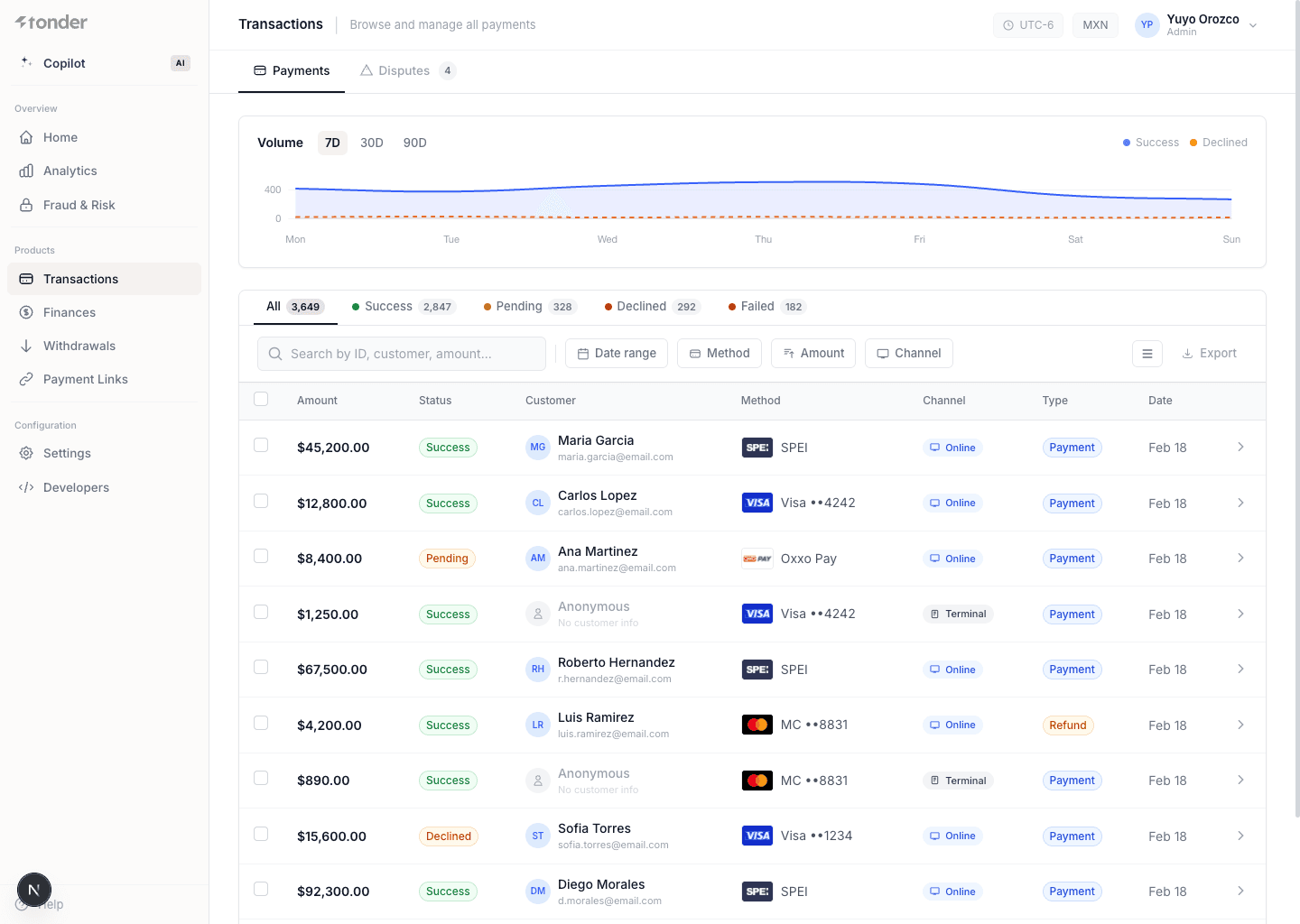
The list
Shows all your payments regardless of status. Main columns:
| Field | Description |
|---|---|
| Creation date | Date when the transaction was created. |
| Amount | The monetary value of the transaction. |
| Currency | The currency the amount is expressed in. |
| Type | Type of operation (payment, refund, etc.). |
| Status | Current status (see below). |
| Payment processor | The acquirer/processor used for the payment. |
The status tabs at the top let you jump straight to a subset (for example, only Success or only
Failed).
Statuses
| Status | Meaning |
|---|---|
Pending | In progress (includes 3DS in flight). |
Success | Approved by the bank/processor. |
Declined | Declined by the issuer. |
Failed | Failed during processing. |
Transaction synchronization that goes through 3DS can take a few minutes to change from Pending to
Success in the dashboard, but this does not affect the end user.
Filters and search
| Filter | Description |
|---|---|
| Status | Narrow down by current status. |
| Amount | Filter by a monetary value or range. |
| Date | Focus on transactions in a date range. |
| Payment method | Filter by payment method. |
Search accepts identifiers such as Payment ID or Order ID.
Data export
Click Export (top-right corner), select the date range, and confirm to download a CSV.
Transaction details
Click a row to open the detail panel:
| Field | Description |
|---|---|
| Payment ID | Unique identifier for the payment. |
| Order ID | Unique identifier for the order. |
| Client Info | Information about the associated client. |
| Timeline | Chronological sequence of the transaction's events. |
The timeline shows a card for each processing attempt (reference, date, amount, currency, type, status, processor, and an eye icon to view the processor's raw response). From this page you can also issue refunds with the button in the top-right corner.
The ability to issue partial refunds may vary depending on each processor's policies.
Disputes
The Disputes sub-tab centralizes chargebacks and retrieval requests. From there you can view each dispute, accept or reject it, and export the list. Access to these actions depends on the user's role.
Disputes list
| Field | Description |
|---|---|
| Amount | The monetary value of the disputed transaction. |
| Status | The current status of the dispute (e.g. open, closed). |
| Card | The card used for the transaction being disputed. |
| Payment Processor | The payment processor involved in the transaction. |
| Time to answer | The available time to respond to the dispute (only available if the payment processor is Tonder). |
Dispute details
Clicking a dispute opens its detail view:
| Field | Description |
|---|---|
| Network reason code | The code indicating the reason for the dispute (assigned by Visa/Mastercard). |
| Dispute ID | Unique identifier for the dispute. |
| Client Info | Information about the client associated with the dispute. |
| Timeline | Chronological sequence of events for the dispute. |
From the detail view you can accept the dispute (acknowledge the chargeback without contesting it) or dispute it (upload evidence to challenge the cardholder's claim).
Dispute process timing
- Cardholders can initiate a dispute up to 120 days after the original transaction.
- We recommend responding within 10 calendar days of receiving the notification.
- The issuing bank takes 60-75 days to assess the evidence and decide.
- The full dispute process typically takes 2-3 months from start to finish.