
Finances
Balances, settlements and reconciliation: where the money you receive comes from.
Finances brings together everything about your money in Tonder: your balances (what's available, in transit, or held), the settlements that deposit your funds, and reconciliation to square what you charged against what was settled.
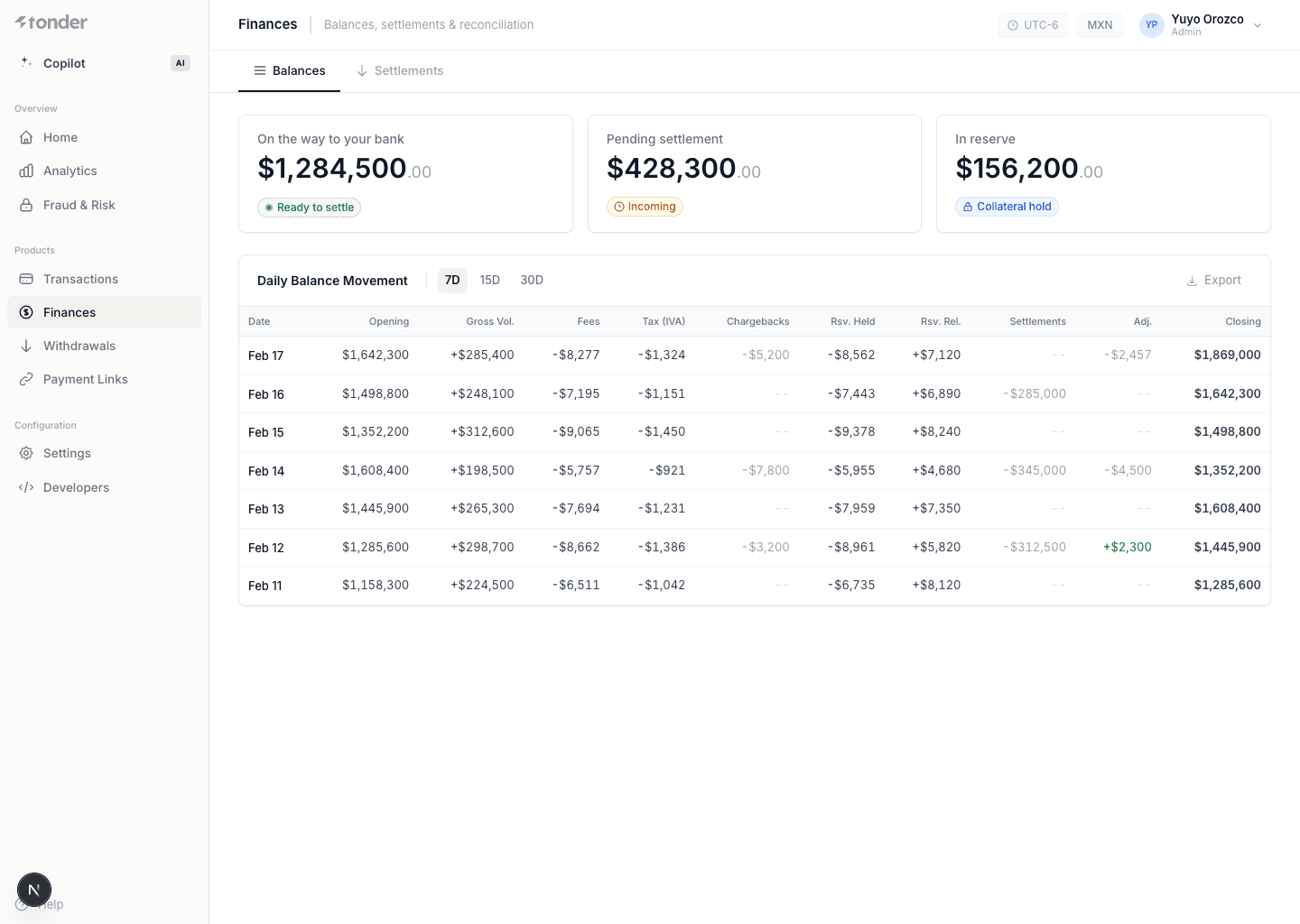
Balances
Indicators of the state of your funds:
| Field | Description |
|---|---|
| In Transit | Funds on their way to your bank account, not yet available. |
| Pending | Funds not yet cleared or made available for disbursement. |
| In Reserve | Funds held to cover risks and liabilities from your transactions. |
Balance movements
| Field | Description |
|---|---|
| Date of Operation | The date the financial transaction occurred. |
| Amount | The monetary value of the transaction. |
| Type | The nature of the transaction (e.g. charge, refund). |
| Current Balance | Total available funds after the transaction. |
Settlements
A settlement groups the payments Tonder deposits into your bank account.
| Field | Description |
|---|---|
| Amount | The monetary value of the settlement. |
| Status | Current status (e.g. pending, paid). |
| Settlement ID | Unique identifier for the settlement. |
| Expected Settlement Date | The expected completion date. |
Filter by Settlement ID, Start Date, End Date, and Status. Click a row to see its detail (the included transactions), and export to CSV with Export (select the range → Export).
Settlement detail
| Field | Description |
|---|---|
| Account Details | The bank account information where the settlement is deposited. |
| Charges | Total amount of charges included in the settlement. |
| Adjustments | Adjustments applied to the settlement amount (corrections, changes). |
| Refunds | Total amount of refunds processed within the settlement period. |
| Rolling Reserve | Funds held to cover risks and liabilities, released at a later date. |
Each transaction included in the settlement also shows:
| Field | Description |
|---|---|
| Type | The nature of the transaction (e.g. charge, refund). |
| Amount | The monetary value of the transaction. |
| Fees | Fees associated with the transaction. |
| Net Total | The amount after deducting fees. |
| Date | The date the transaction occurred. |
Reconciliation
Reconciliation squares what you charged against what was settled, so you can spot discrepancies. The
canonical correlation key between your systems and Tonder is metadata.external_id, present in every
webhook and transaction.
Use metadata.external_id as your order identifier on every operation: it makes reconciling
settlements and payments unambiguous. See Correlation keys.