
Team Members
Invite your team and control what each role can see and do.
Team Members is where you administer the people with access to your Tonder account: you see the team list, send invitations, and assign roles that determine what each person can do. Tonder uses role-based access control (RBAC): each role grants a fixed set of per-module permissions.
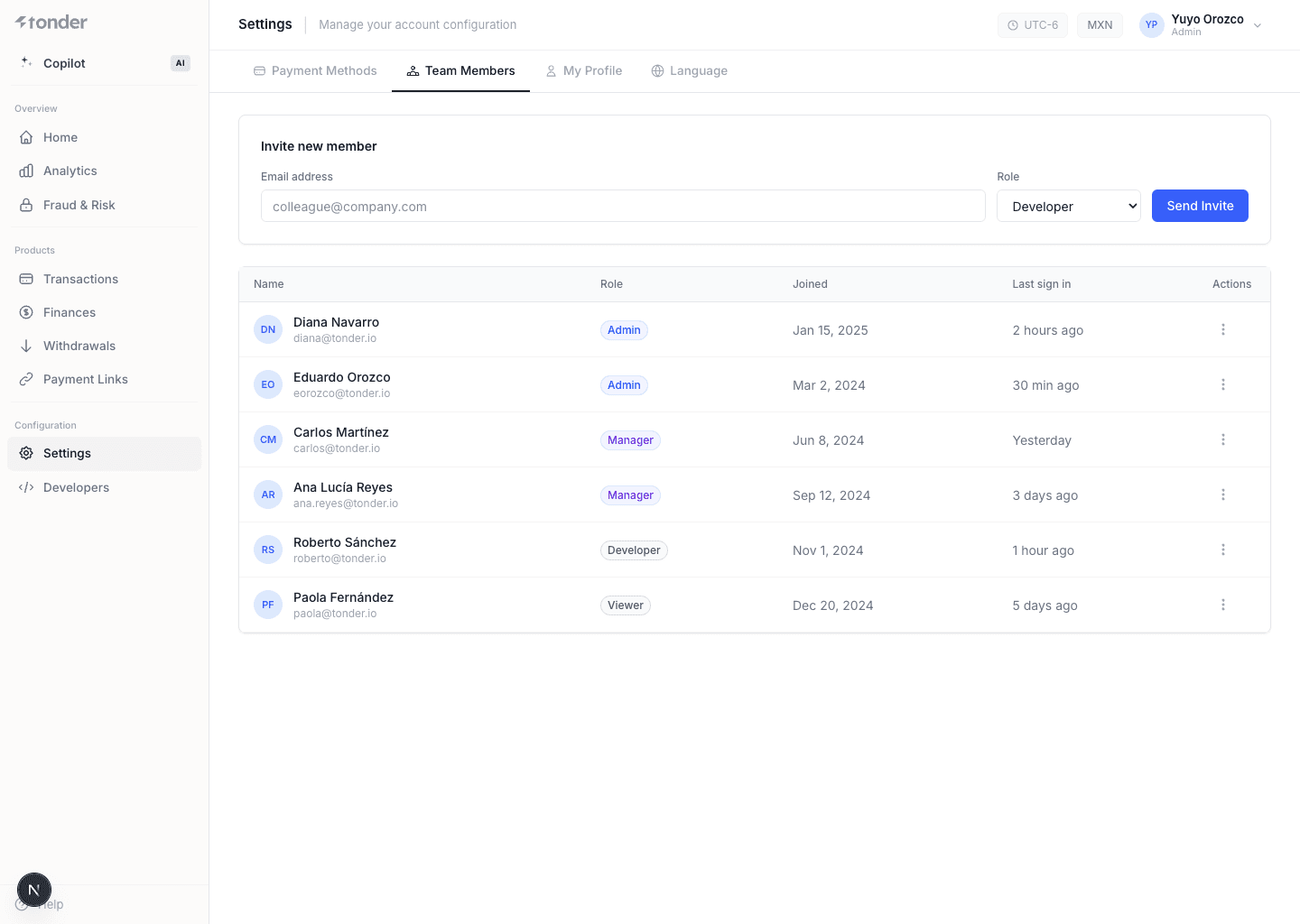
Team list and invitations
- Team list — each member with their email, role, and status.
- Invitations — invite a person by email and assign them a role; access becomes active when they accept.
The ability to invite, edit, delete, and manage permissions depends on the role (see below): only Admin can manage the team.
Roles and permissions
There are five roles. Each defines the access level per module: Home, Transactions, Disputes, Withdrawals, Finances, Payment Links, Connections, Developers, Settings, and Team Members.
Admin
Full access to all modules, configurations, and team management.
| Module | Permissions |
|---|---|
| Home | View dashboard and analytics. |
| Transactions | View, search, refund, export. |
| Disputes | View, accept/reject, export. |
| Withdrawals | View, approve/decline/hold, export. |
| Finances | View settlements, export. |
| Payment Links | Create, edit, view, customize checkout. |
| Connections | View & edit connections. |
| Developers | Manage API keys and webhooks (add, edit, delete, test). |
| Settings | Manage profile, password, and payment methods. |
| Team Members | View, edit, delete, and manage permissions/invitations. |
Dispute Manager
Focused on chargebacks and retrievals — no financial or configuration control.
| Module | Permissions |
|---|---|
| Home | View dashboard and analytics. |
| Transactions | View, search, refund, export. |
| Disputes | View, accept/reject, export. |
| Withdrawals | No access. |
| Finances | No access. |
| Payment Links | No access. |
| Connections | No access. |
| Developers | No access. |
| Settings | Manage profile and password only. |
| Team Members | View team list only. |
Finance Manager
Responsible for settlements, reconciliations, and withdrawal approvals.
| Module | Permissions |
|---|---|
| Home | View dashboard and analytics. |
| Transactions | View, search, export. |
| Disputes | View only, export. |
| Withdrawals | View, approve/decline/hold, export. |
| Finances | View settlements, export. |
| Payment Links | View only. |
| Connections | No access. |
| Developers | No access. |
| Settings | Manage profile, password, and view payment methods. |
| Team Members | View team list only. |
Developer
Manages integrations, webhooks, and API keys — no financial control.
| Module | Permissions |
|---|---|
| Home | View dashboard and analytics. |
| Transactions | View, search, export. |
| Disputes | View only. |
| Withdrawals | View only. |
| Finances | View settlements, export. |
| Payment Links | Create, customize, and manage payment links. |
| Connections | View & edit connections. |
| Developers | Manage API keys; add/edit/test webhooks. |
| Settings | Manage profile, password, and payment methods. |
| Team Members | View team list only. |
Guest
Read-only access to dashboards and modules, with masked data.
| Module | Permissions |
|---|---|
| Home | View dashboard and analytics. |
| Transactions | View and search payments only. |
| Disputes | View only. |
| Withdrawals | View only. |
| Finances | View only. |
| Payment Links | View link details. |
| Connections | No access. |
| Developers | No access. |
| Settings | View profile and password only. |
| Team Members | View team list only. |
Settings (profile)
Each member manages their profile, password, and — depending on the role — the account's payment methods from Settings. The scope of these actions is defined by the assigned role.