
Events Log
Every webhook Tonder sent to your endpoints, with each attempt and your server's response — search, filter and resend from Developers › Events.
Developers › Events lists every webhook Tonder sent to your endpoints, with all of its delivery attempts: what was sent, what your server answered, and when. Events are kept for 60 days.
Webhooks 2.0 is enabled per account. If Developers in your dashboard has no Events tab, your account is on the previous version: ask your Tonder contact to enable it.
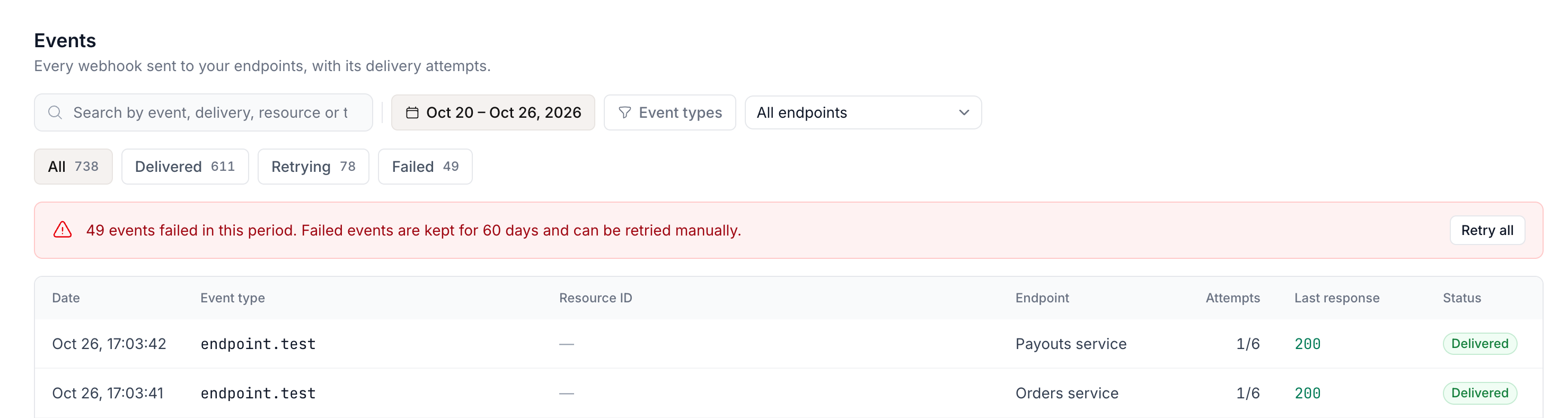
Find an event
- Status tabs, each with its count: All, Delivered, Retrying, Failed.
- Filters: event type, endpoint, and date range — the last 7 days by default, up to 60.
- Search by the transaction
id, your reference (client_referenceormetadata.external_id), Tonder's transaction id, the event id (evt_…) or the delivery id (dlv_…). Search covers the whole retained history, whatever the date range. - Pages: Previous / Next, 25 events per page. With filters, a page can hold fewer than 25 — keep going with Next.
| Column | What it shows |
|---|---|
| Date | When the event was created. |
| Event type | The event_type, for example payment_Success. |
| Resource ID | The transaction or withdrawal the event belongs to. |
| Endpoint | The endpoint it was sent to. |
| Attempts | Attempts so far out of the 6 automatic ones, for example 4/6. |
| Last response | Your server's last HTTP code. |
| Status | Delivered, Retrying or Failed. |
When the period has Failed events, a banner above the table says how many and offers Retry all.
Event details
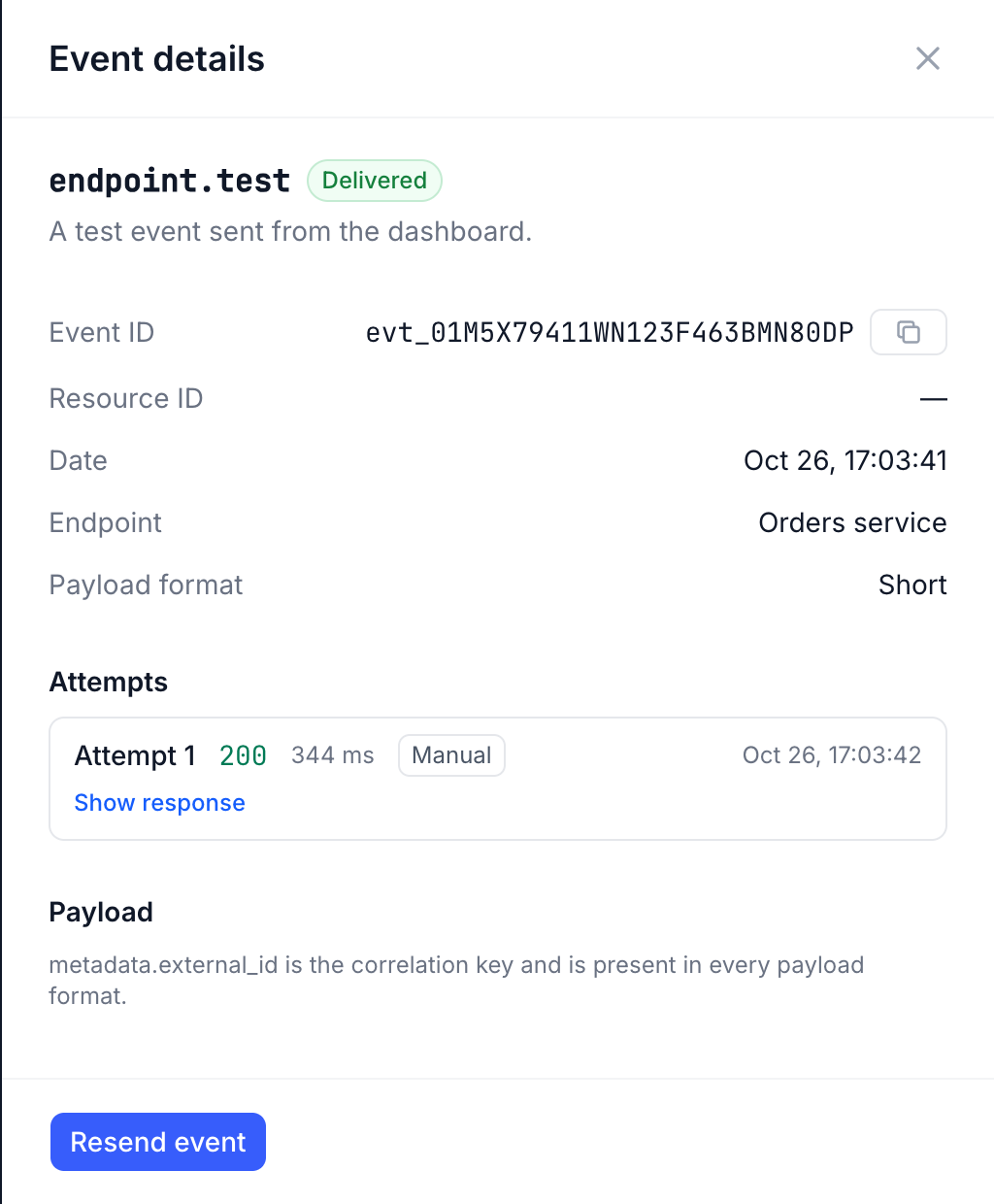
Click an event to open its details:
| Field | What it shows |
|---|---|
| Event ID | The event identifier (evt_…). |
| Resource ID | The transaction or withdrawal. |
| Endpoint | Where it was sent. |
| Payload format | Short or Long. |
| Attempts | Each attempt with its time, your server's response code and duration, and the first 2 KB of the response body (Show response). An attempt you triggered is labelled Manual. |
| Payload | What Tonder sent. |
While an event is retrying, the panel also shows the Next automatic attempt.
Resend
Resend event in the details sends the event again; Retry all resends every Failed event that matches the current filter. The rules — what happens to the remaining automatic attempts, and when a resend is refused — are in Delivery and retries.
From a transaction or a withdrawal
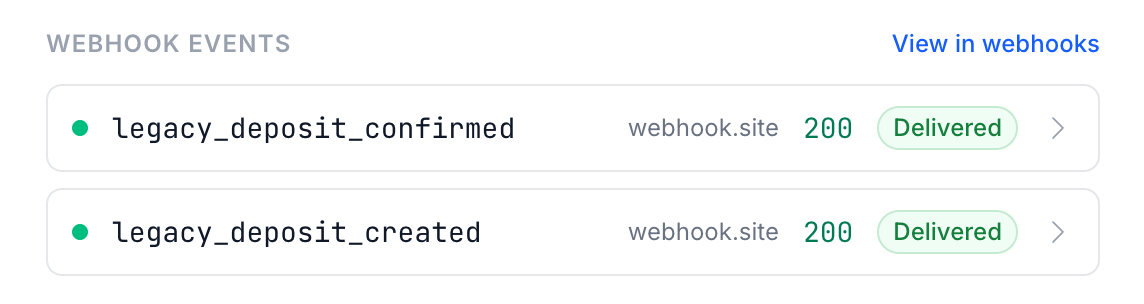
In Transactions or Withdrawals, open a record's details: the Webhook events section lists the webhooks sent for that record, with the event, the endpoint, your server's response and the status. Each one opens its details in the Events log, and View in webhooks takes you to the log.
Through the API
GET /v1/deliveries lists deliveries with the same filters and search, GET /v1/deliveries/{id}
returns one with all its attempts, and two retry operations resend — see
Webhooks API.