
Finances
Balances, settlements, monthly statements and reconciliation: where the money you receive comes from.
Finances brings together everything about your money in Tonder: your balances (what's available, in transit, or held), the settlements that deposit your funds, a monthly statement of your account, and reconciliation to square what you charged against what was settled.
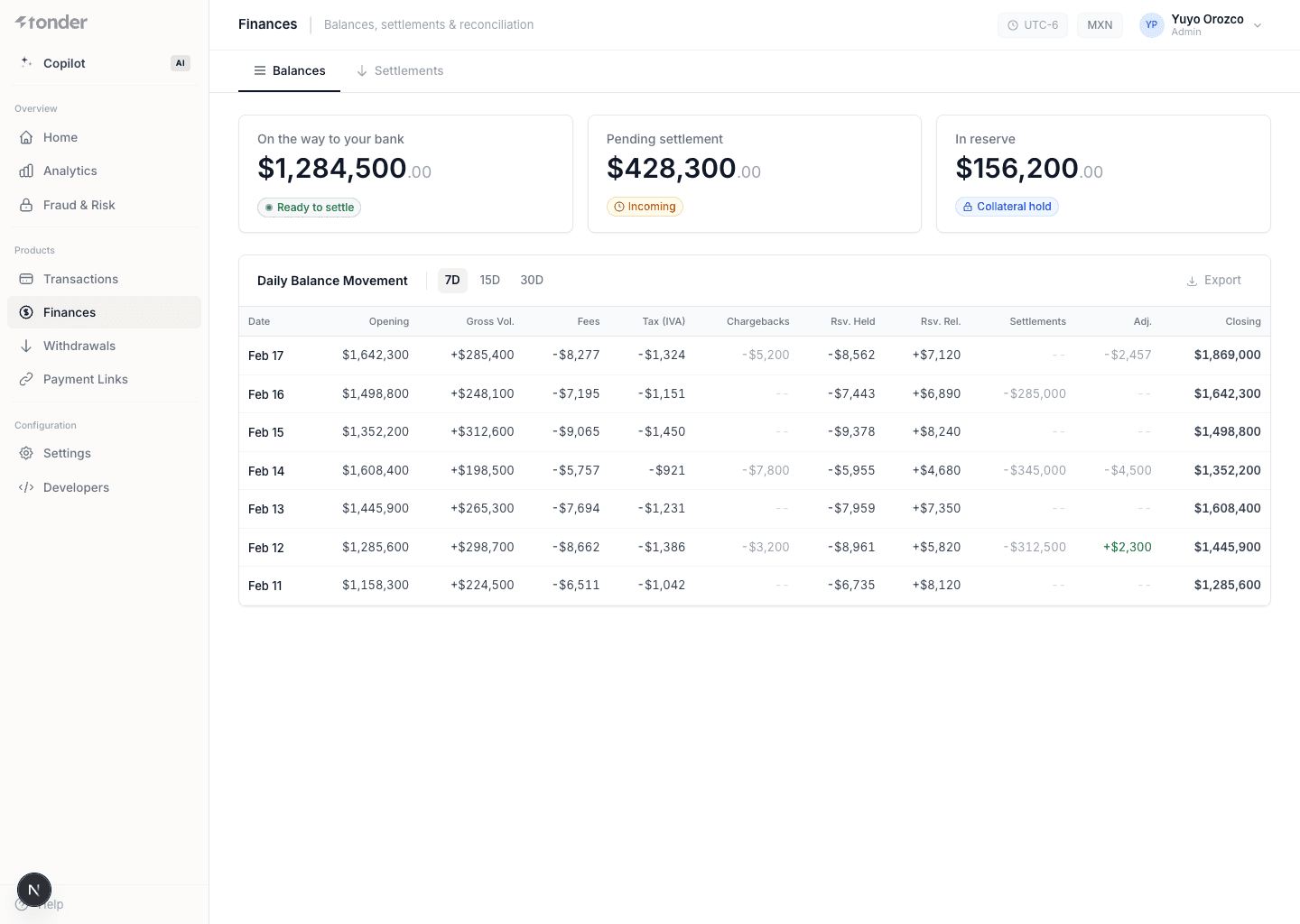
Balances
Indicators of the state of your funds:
| Field | Description |
|---|---|
| In Transit | Funds on their way to your bank account, not yet available. |
| Pending | Funds not yet cleared or made available for disbursement. |
| In Reserve | Funds held to cover risks and liabilities from your transactions. |
Balance movements
| Field | Description |
|---|---|
| Date of Operation | The date the financial transaction occurred. |
| Amount | The monetary value of the transaction. |
| Type | The nature of the transaction (e.g. charge, refund). |
| Current Balance | Total available funds after the transaction. |
Settlements
A settlement groups the payments Tonder deposits into your bank account.
| Field | Description |
|---|---|
| Amount | The monetary value of the settlement. |
| Status | Current status (e.g. pending, paid). |
| Settlement ID | Unique identifier for the settlement. |
| Expected Settlement Date | The expected completion date. |
Filter by Settlement ID, Start Date, End Date, and Status. Click a row to see its detail (the included transactions), and export to CSV with Export (select the range → Export).
Settlement detail
| Field | Description |
|---|---|
| Account Details | The bank account information where the settlement is deposited. |
| Charges | Total amount of charges included in the settlement. |
| Adjustments | Adjustments applied to the settlement amount (corrections, changes). |
| Refunds | Total amount of refunds processed within the settlement period. |
| Rolling Reserve | Funds held to cover risks and liabilities, released at a later date. |
Each transaction included in the settlement also shows:
| Field | Description |
|---|---|
| Type | The nature of the transaction (e.g. charge, refund). |
| Amount | The monetary value of the transaction. |
| Fees | Fees associated with the transaction. |
| Net Total | The amount after deducting fees. |
| Date | The date the transaction occurred. |
Statements
The Statements tab summarizes one month of your account. Choose the month in Period; Download PDF exports the statement.
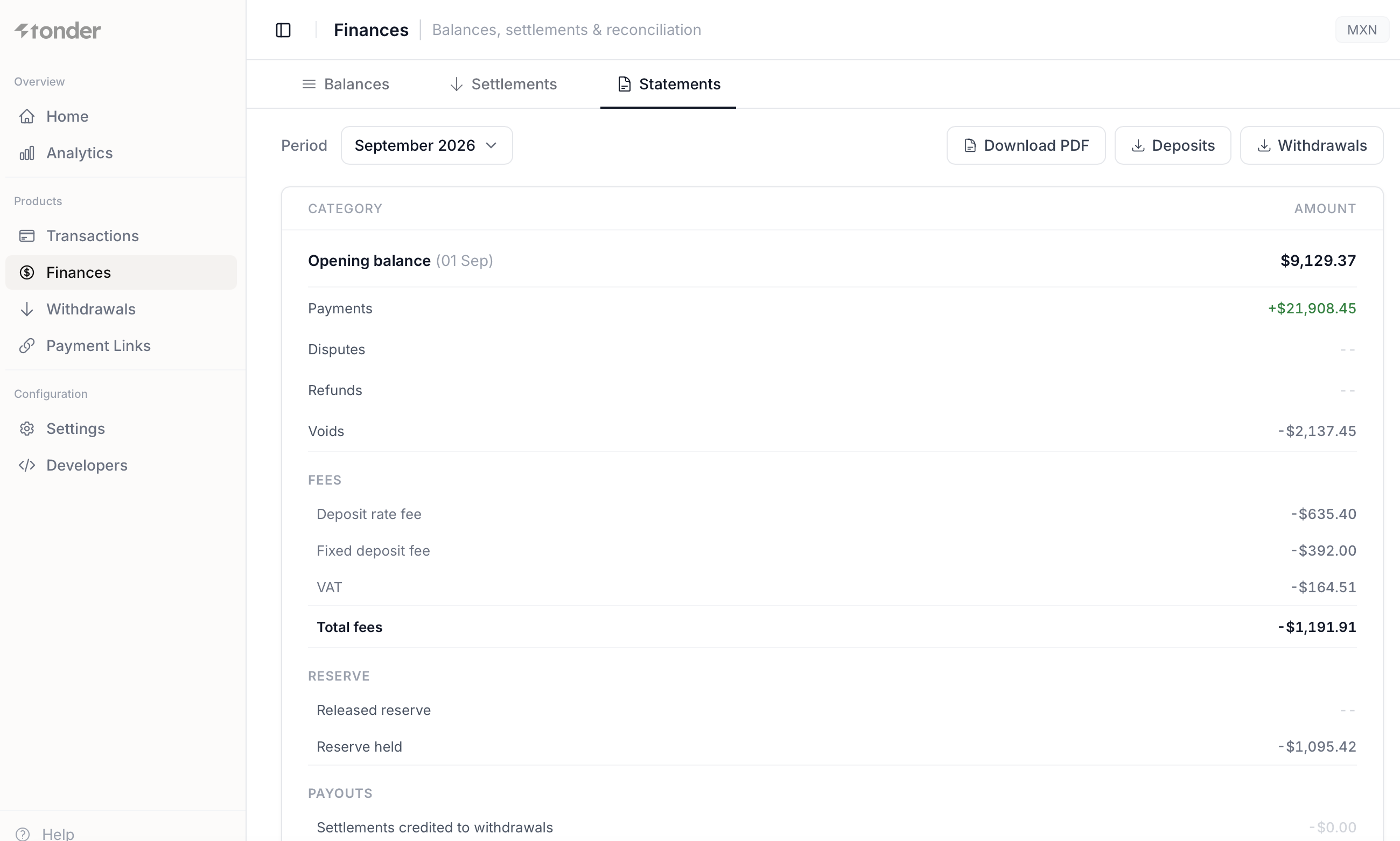
The statement includes, in this order:
- Opening balance on the first day of the month.
- Payments, Disputes, Refunds and Voids.
- Fees: Deposit rate fee, Fixed deposit fee, VAT and Total fees.
- Reserve: Released reserve and Reserve held.
- Payouts: Settlements credited to withdrawals.
Reconciliation
Reconciliation squares what you charged against what was settled, so you can spot discrepancies. The
canonical correlation key between your systems and Tonder is metadata.external_id, present in every
webhook and transaction.
Use metadata.external_id as your order identifier on every operation: it makes reconciling
settlements and payments unambiguous. See Correlation keys.