> ## Documentation Index
> Fetch the complete documentation index at: https://docs.tonder.io/llms.txt
> Use this file to discover all available pages before exploring further.
# Start using Tonder SDKs
This tutorial provides a high-level overview of the steps required to integrate any Tonder SDK and process your first payment. By the end of this guide, you will understand the fundamental integration workflow.
## Prerequisites
Before you begin, make sure you have the following:
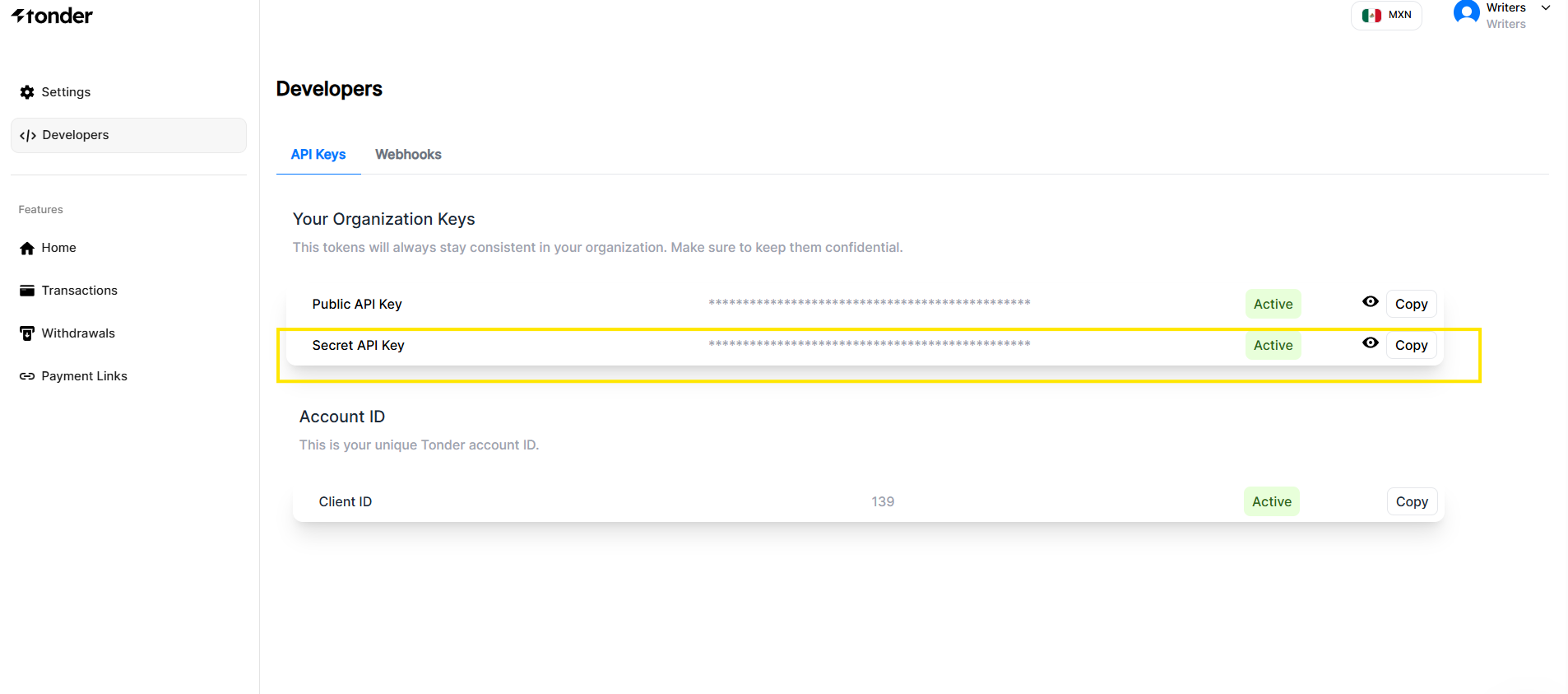
* Your Tonder API Keys, which you can find in the **Developers** section of the [Tonder Dashboard](https://stage.tonder.io/dashboard/developers/). This step is common to all Tonder SDKs and is required for authenticating your application with Tonder's services.
* A development environment for your chosen platform (Web, iOS, or Android).
 ## Integration Steps
Follow these essential steps to integrate Tonder into your application and process your first payment. Each step builds upon the previous one, creating a complete payment integration workflow.
First, you need to select the right SDK for your platform. Tonder provides dedicated SDKs for web (JavaScript) and mobile (React Native, Ionic, Flutter).
Once installed, you need to initialize the SDK within your application and configure it for your checkout. This step involves:
* Providing your public API key and configuring the environment (e.g., `development` or `production`)
* Setting up customer and cart details, such as the total amount and currency
* Choosing between embedding individual payment fields into your custom checkout form or rendering a complete, pre-built UI
This establishes a secure connection between your application and Tonder's services and prepares the checkout interface for payment processing.
With the checkout displayed, the final step is to call the SDK's payment function. This function securely captures the user's payment details, sends them to Tonder for processing, and returns the transaction result.
You can find more information about each SDK platform in the following pages:
Learn more about the Mobile SDKs.
Learn more about the Web SDKs.
## Integration Steps
Follow these essential steps to integrate Tonder into your application and process your first payment. Each step builds upon the previous one, creating a complete payment integration workflow.
First, you need to select the right SDK for your platform. Tonder provides dedicated SDKs for web (JavaScript) and mobile (React Native, Ionic, Flutter).
Once installed, you need to initialize the SDK within your application and configure it for your checkout. This step involves:
* Providing your public API key and configuring the environment (e.g., `development` or `production`)
* Setting up customer and cart details, such as the total amount and currency
* Choosing between embedding individual payment fields into your custom checkout form or rendering a complete, pre-built UI
This establishes a secure connection between your application and Tonder's services and prepares the checkout interface for payment processing.
With the checkout displayed, the final step is to call the SDK's payment function. This function securely captures the user's payment details, sends them to Tonder for processing, and returns the transaction result.
You can find more information about each SDK platform in the following pages:
Learn more about the Mobile SDKs.
Learn more about the Web SDKs.